
Press Ctrl+; on Windows or ChromeOS, or Command+; on Mac, to insert today’s date as a fixed value in Google Sheets. The date stays unchanged tomorrow.
Use TODAY() when you want a date that updates with recalculation. Choose between a fixed entry and a formula before building a log or deadline tracker.
Insert a fixed current date with a shortcut
- Select the destination cell, such as B2.
- Press Ctrl+; on Windows or ChromeOS, or Command+; on Mac.
- Check that the date is correct for your work.
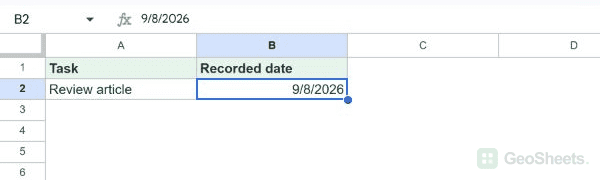
The Windows test inserted September 8, 2026 as a numeric date value with no formula. The display was 9/8/2026 in the tested US locale.
Change how the date looks
- Select the date cell.
- Choose Format > Number > Date, or Custom date and time.
- Choose the date layout you need and apply it.
Formatting changes the display, not the stored day. If you type an ambiguous date such as 9/8/2026, its interpretation depends on the spreadsheet locale.
Use a date that updates automatically
=TODAY()TODAY returns the current date when the spreadsheet recalculates. It is useful for a current-date heading and date comparisons, but does not record when a row was created.
Use NOW() when the result should include the current time as well. Both formulas can change after entry.
Insert the time or a fixed date and time
| Entry | Windows / ChromeOS | Mac |
|---|---|---|
| Current time | Ctrl+Shift+; | Command+Shift+; |
| Current date and time | Ctrl+Alt+Shift+; | Command+Option+Shift+; |
These combinations come from Google’s keyboard reference. Keyboard layout can change the required keys; its reference lists alternatives for several European layouts.
Keep a date entry permanent
The date shortcut already inserts a fixed value. You do not need a formula or an add-on for a manual entry.
A formula containing TODAY does not reliably timestamp a later edit in another cell. Automatic edit timestamps require a separate workflow with a clearly defined trigger and time zone.
See Google’s keyboard shortcut reference for the documented options.
Other Google Sheets articles you may also like