
Press Ctrl + Shift + ; on Windows to insert the current time into a selected Google Sheets cell. This inserts a fixed value, making it useful for recording when a task finished.
Insert the current time
Use Command + Shift + ; on Mac. Some keyboard layouts require a different physical key for the semicolon.
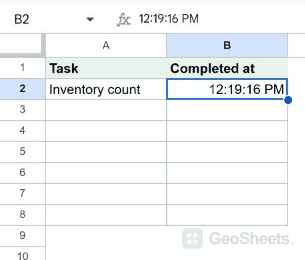
- Select an empty timestamp cell, such as B2.
- Press the shortcut once.
- Check the inserted time in the cell and formula bar.
Keep the timestamp fixed
The shortcut inserted a numeric time value in our live test, with no formula. Recalculation does not update that entry. Running the shortcut again replaces it with a new time.
Choose a 12-hour or 24-hour display
Use Format > Number > Custom date and time to choose the display. A time-only entry does not give readers the date; record a date alongside it when the day matters.
Use NOW for a changing clock
NOW returns the current date and time when the sheet recalculates. Format its result as time if only the clock display is needed. It is unsuitable for a permanent completion timestamp.
=NOW()Check the relevant time zone
The spreadsheet time zone is configured under File > Settings. When people work across regions, verify a sample against the intended local time before relying on the timestamp column.
Other Google Sheets articles you may also like