
If you want to know how many different values sit in a range, without counting the duplicates, the COUNTUNIQUE function in Google Sheets is what you need. It looks at your data, ignores the repeats, and gives you the count of distinct entries.
In this article, I’ll show you how COUNTUNIQUE works, walk through four practical examples, and point out a couple of things to watch for.
COUNTUNIQUE Function Syntax in Google Sheets
The COUNTUNIQUE function takes one or more values or ranges.
=COUNTUNIQUE(value1, [value2, ...])
- value1 is the first range or value to check for unique entries.
- value2, … are optional extra ranges or values to include in the same count.
Everything you pass gets pooled together, then counted once per distinct value.
When to Use COUNTUNIQUE Function
Here are a few times COUNTUNIQUE comes in handy.
- Counting how many distinct customers, products, or names appear in a list.
- Checking how many different entries a column holds before building a report.
- Combining several columns and counting the unique values across all of them.
- Counting distinct items that match a condition when paired with FILTER.
Example 1: Count Unique Names in a List
Let’s start with the most common use.
Below is the dataset, a single column of names with some repeats in it.
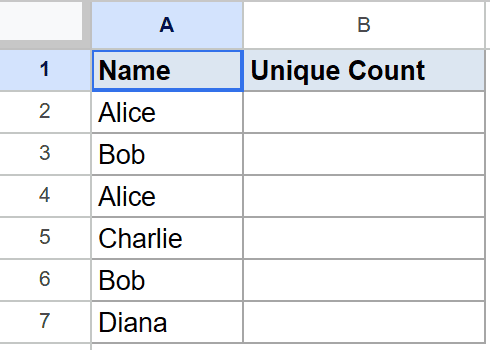
The goal is to count how many different names show up in the column.
Here is the formula:
=COUNTUNIQUE(A2:A7)
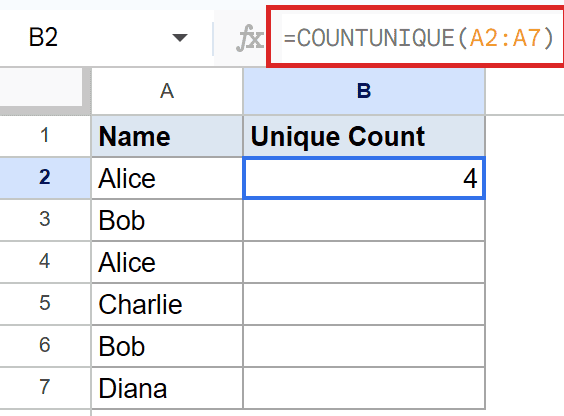
The list holds six names, but Alice and Bob each appear twice. COUNTUNIQUE counts every name only once, so it returns 4.
Pro Tip: COUNTUNIQUE counts both text and numbers. If your column mixes the two, each distinct value still counts once.
Example 2: Count Unique Values Across Two Columns
COUNTUNIQUE isn’t limited to a single range.
Below is the dataset, two columns listing people on two different teams.
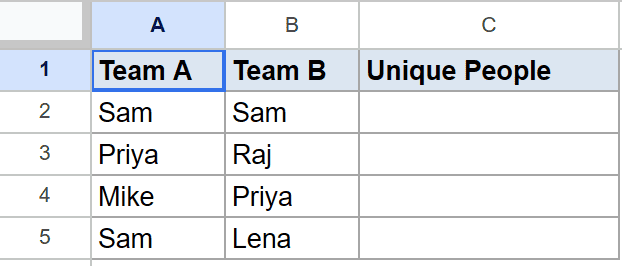
The goal is to count how many distinct people there are across both teams combined.
Here is the formula:
=COUNTUNIQUE(A2:A5, B2:B5)
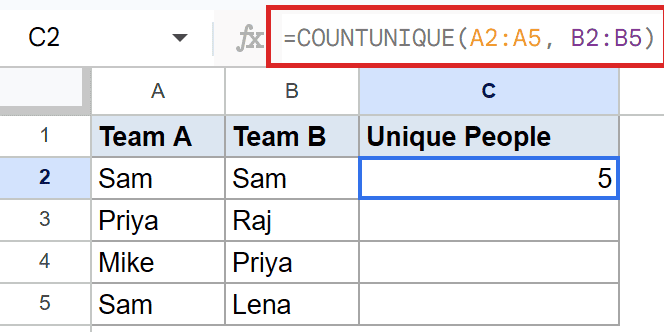
There are eight cells in total, but several names show up on both teams. COUNTUNIQUE pools both ranges and counts each person once, so it returns 5.
Example 3: COUNTUNIQUE Is Case Sensitive
This one trips people up, so it’s worth seeing.
Below is the dataset, a column of status words written in different letter cases.
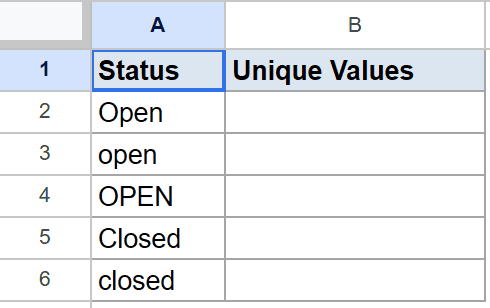
The goal is to see how COUNTUNIQUE treats the same word in different cases.
Here is the formula:
=COUNTUNIQUE(A2:A6)
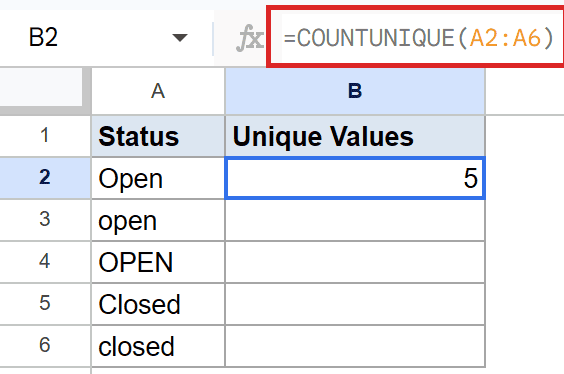
To COUNTUNIQUE, “Open”, “open”, and “OPEN” are three separate values. Every entry has a different case here, so it returns 5.
Pro Tip: To count unique values while ignoring case, lower everything first with a helper like =COUNTUNIQUE(ARRAYFORMULA(LOWER(A2:A6))).
Example 4: Count Unique Values That Meet a Condition
You can count distinct values from only the rows that match a condition.
Below is the dataset, with a region in column A and a customer name in column B.
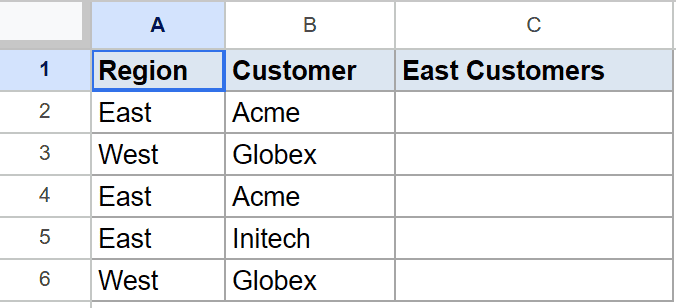
The goal is to count the distinct customers in the East region only.
Here is the formula:
=COUNTUNIQUE(FILTER(B2:B6, A2:A6="East"))
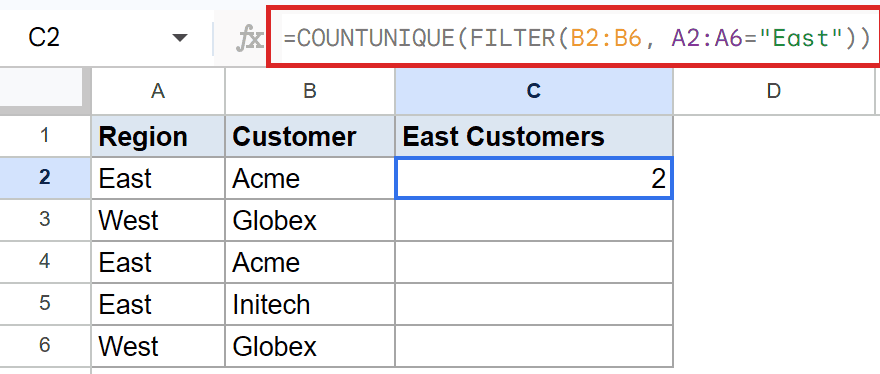
FILTER keeps only the customer names where the region is East. There are three orders in the East, but two of them are the same customer, so COUNTUNIQUE returns 2.
Pro Tip: For multiple conditions, use COUNTUNIQUEIFS instead. It counts distinct values across a range while applying one or more criteria, no FILTER needed.
Tips & Common Mistakes
- Blank cells don’t add to the count. Empty cells in your range are skipped, so a trailing blank row won’t bump the number up.
- Remember it’s case sensitive. “USA” and “usa” count as two values. Normalize the case first if that’s not what you want.
- It counts values, not cells. If you need a plain cell count or want to count cells with text instead of distinct values, reach for COUNTA or COUNTIF.
COUNTUNIQUE gives you the number of distinct values in one or more ranges, ignoring every duplicate along the way. You saw it count names, work across two columns, treat letter case as significant, and team up with FILTER for conditional counts.
Keep the case-sensitivity quirk in mind and it’s a quick way to measure variety in your data.
List of All Google Sheets Functions
Related Google Sheets Functions / Articles: